
Introduction
In today’s digital world, the internet has become an essential part of our daily lives. We use it for communication, education, shopping, banking, and business. While technology has made life easier, it has also opened doors for cybercriminals. Cyber threats are increasing every year, affecting individuals, businesses, and even governments. Understanding common cyber attacks and prevention methods is no longer optional—it is a necessity.
Many people think cyber attacks only target large companies, but that is not true. Small businesses, students, and regular internet users are often the easiest targets. Hackers use simple tricks like fake emails, weak passwords, or infected links to steal data, money, or personal information. This is why learning about common cyber attacks and prevention is extremely important for everyone who uses the internet.
In this detailed guide, you will learn what cyber attacks are, why cybersecurity matters, and how different types of attacks work. You will also discover practical prevention techniques that you can apply in daily life. The language is simple, the examples are clear, and the steps are easy to follow. Whether you are a student, office worker, or business owner, this article will help you stay safe online.
By the end of this guide, you will have a strong understanding of common cyber attacks and prevention strategies, allowing you to browse, work, and communicate online with confidence.
What is Common Cyber Attacks and Prevention?
Common cyber attacks and prevention refers to the study of popular online threats and the methods used to stop or reduce their impact. A cyber attack is any attempt by hackers to gain unauthorized access to systems, networks, or personal data. These attacks can cause financial loss, data theft, identity misuse, and system damage.
Cyber attacks come in many forms. Some are simple, such as phishing emails, while others are complex, like ransomware or advanced malware attacks. The goal of most cyber attacks is to steal sensitive information, disrupt services, or demand money from victims.
Prevention, on the other hand, involves using security measures, awareness, and best practices to protect digital systems. This includes strong passwords, updated software, antivirus programs, firewalls, and user education.
Understanding common cyber attacks and prevention helps individuals and organizations reduce risks and respond quickly if an attack happens. It also builds a strong foundation for safe online behavior.
Why is Common Cyber Attacks and Prevention Important?
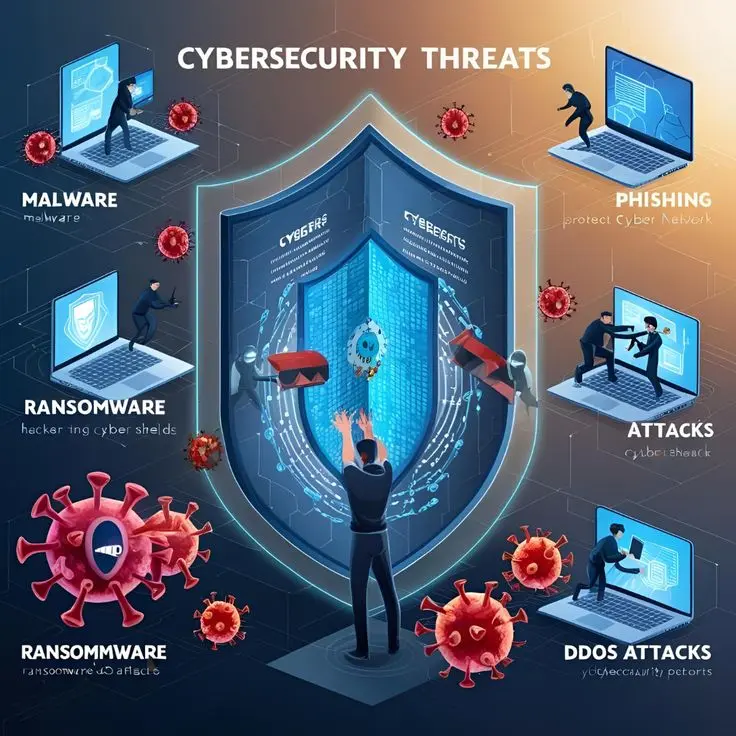
Cybersecurity is important because cybercrime is growing rapidly across the world. Every year, millions of people fall victim to online fraud, data breaches, and identity theft. The financial and emotional damage caused by these attacks can be severe.
Here are some key reasons why common cyber attacks and prevention are important:
First, it protects personal information. Your emails, passwords, bank details, and photos are valuable data that hackers want to steal.
Second, it ensures business continuity. A cyber attack can shut down websites, systems, or entire companies, leading to financial losses and damaged reputation.
Third, it prevents financial fraud. Online scams and hacking attempts often aim to steal money directly from victims.
Fourth, it builds digital trust. When users feel safe online, they are more likely to use digital services confidently.
Finally, cybersecurity awareness helps reduce human errors, which are the main cause of most cyber attacks. Knowing what to avoid can save you from serious trouble.
Detailed Step-by-Step Guide to Common Cyber Attacks and Prevention
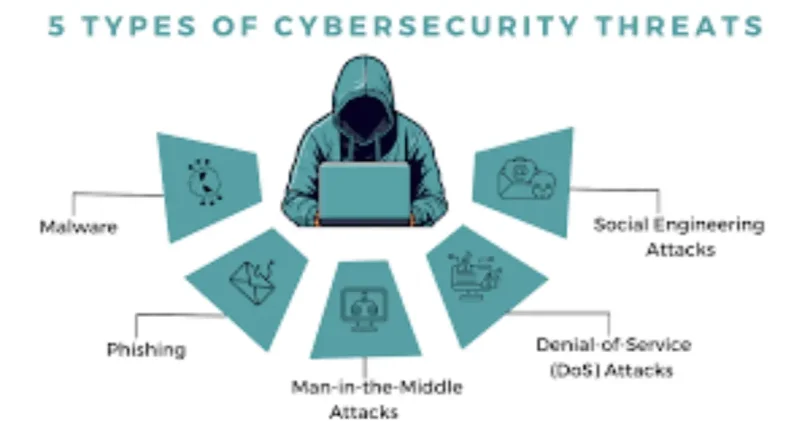
Understanding Different Types of Cyber Attacks
Before learning prevention methods, it is important to understand the most common cyber attacks.
Phishing Attacks
Phishing is one of the most common cyber attacks. It involves fake emails, messages, or websites that look real. The attacker tricks users into clicking malicious links or sharing personal information.
Examples include fake bank emails, fake login pages, and lottery scams.
Prevention Tips:
- Never click on unknown links
- Check email sender addresses carefully
- Avoid sharing personal details online
- Use spam filters
Malware Attacks
Malware is malicious software designed to harm devices or steal data. It includes viruses, worms, spyware, and trojans.
Malware often spreads through infected downloads or email attachments.
Prevention Tips:
- Install antivirus software
- Avoid downloading from unknown sources
- Keep software updated
- Scan files before opening
Ransomware Attacks
Ransomware locks your data and demands payment to restore access. It is one of the most dangerous cyber threats today.
Victims often lose important files or pay large amounts to hackers.
Prevention Tips:
- Backup important data regularly
- Avoid clicking suspicious links
- Use strong security software
- Update operating systems
Password Attacks
Weak or reused passwords make it easy for hackers to access accounts. Attackers use brute force or stolen databases to guess passwords.
Prevention Tips:
- Use strong and unique passwords
- Enable two-factor authentication
- Avoid using the same password everywhere
- Change passwords regularly
Man-in-the-Middle Attacks
In this attack, hackers secretly intercept communication between two parties. This often happens on public Wi-Fi networks.
Prevention Tips:
- Avoid public Wi-Fi for sensitive tasks
- Use VPN services
- Always use secure websites (HTTPS)
Social Engineering Attacks
Social engineering tricks users into revealing confidential information by pretending to be someone trustworthy.
Examples include fake tech support calls or urgent messages.
Prevention Tips:
- Verify identities before sharing information
- Do not trust urgent requests blindly
- Educate yourself and others
Benefits of Common Cyber Attacks and Prevention

- Protects personal and financial information
- Reduces risk of identity theft
- Improves online safety awareness
- Prevents financial losses
- Builds trust in digital systems
- Protects business reputation
- Reduces downtime and data loss
- Encourages responsible internet usage
- Strengthens overall cybersecurity
- Helps in early detection of threats
Disadvantages / Risks
- Requires regular updates and monitoring
- Can be time-consuming for beginners
- Security tools may cost money
- False security confidence can be dangerous
- Human error can still cause breaches
- Over-reliance on software without awareness
- Constantly evolving threats
Common Mistakes to Avoid
One common mistake is using weak passwords. Many people still use simple passwords like “123456” or “password,” making it easy for hackers.
Another mistake is clicking unknown links without checking the source. This often leads to phishing or malware attacks.
Ignoring software updates is also risky. Updates often fix security vulnerabilities.
Using public Wi-Fi without protection is another major mistake. Hackers can easily intercept data on unsecured networks.
Lastly, many users ignore backups. Without backups, recovering from ransomware becomes almost impossible.
Avoiding these mistakes significantly improves your cybersecurity posture.
FAQs
What are common cyber attacks?
Common cyber attacks include phishing, malware, ransomware, password attacks, and social engineering. These attacks aim to steal data or damage systems.
How can I protect myself from cyber attacks?
You can protect yourself by using strong passwords, updating software, avoiding suspicious links, and using antivirus programs.
Are cyber attacks only for big companies?
No, individuals and small businesses are often targeted because they usually have weaker security systems.
What is the most dangerous cyber attack?
Ransomware is considered one of the most dangerous attacks because it locks data and demands payment.
Is antivirus software enough?
Antivirus software helps, but it is not enough alone. User awareness and safe online habits are equally important.
How often should I update my passwords?
It is recommended to change passwords every few months or immediately if a breach is suspected.
Expert Tips & Bonus Points
Always enable two-factor authentication on important accounts. It adds an extra layer of security.
Use a password manager to store and generate strong passwords safely.
Regularly back up your data to an external drive or cloud storage.
Educate yourself and your team about new cyber threats.
Avoid oversharing personal information on social media.
Install updates as soon as they are available.
Use secure networks and avoid public Wi-Fi for banking or shopping.
Stay alert and trust your instincts if something feels suspicious.
Conclusion
Understanding common cyber attacks and prevention is essential in today’s digital age. As technology continues to grow, so do cyber threats. Hackers are becoming smarter, and their methods more advanced. However, with the right knowledge and precautions, most cyber attacks can be avoided.
This guide has explained the most common cyber attacks, how they work, and the best ways to prevent them. From phishing and malware to ransomware and social engineering, each threat can be managed with awareness and proper security practices. Simple steps like using strong passwords, updating software, avoiding suspicious links, and backing up data can make a huge difference.
Cybersecurity is not just for experts or large organizations. It is a responsibility for everyone who uses the internet. By applying the tips and strategies shared in this article, you can protect your personal information, secure your devices, and enjoy a safer online experience.
Staying informed, alert, and proactive is the key to staying safe in the digital world. Make cybersecurity a habit, not an afterthought, and you will be well-prepared to face modern cyber threats with confidence.