
Introduction
In today’s digital world, students use the internet for almost everything. From online classes and research to social media and gaming, the internet has become a daily companion. However, with these benefits also come serious risks. Cyber threats such as hacking, phishing, malware, and data theft are increasing every day. That is why learning cyber security tips for students is no longer optional, it is necessary.
Many students think cyber attacks only happen to big companies or professionals, but that is not true. Students are easy targets because they often use weak passwords, unsecured Wi-Fi, and unknown apps. A small mistake can lead to loss of personal data, identity theft, or even financial problems. This is why understanding basic online safety rules can make a huge difference.
This article is written in simple English to help beginners and intermediate learners understand cyber safety clearly. You will learn what cyber security means, why it is important, and how to protect yourself step by step. These cyber security tips for students are practical, easy to follow, and useful for school, college, and daily life.
By the end of this guide, you will feel more confident while using the internet and know how to avoid common online dangers. Let’s begin with the basics and build strong digital safety habits together.
What Is Cyber Security?
Cyber security is the practice of protecting computers, mobile devices, networks, and data from digital attacks. These attacks are usually done to steal information, damage systems, or trick users into giving personal details.
For students, cyber security means staying safe while using the internet for study, communication, and entertainment. It includes protecting passwords, avoiding fake websites, keeping devices secure, and understanding online risks.
Cyber security is not only about technology. It is also about smart behavior. Even the best software cannot protect you if you click on unsafe links or share your personal information carelessly.
Some common cyber threats students face include:
- Phishing emails and fake messages
- Malware and viruses
- Identity theft
- Social media hacking
- Online scams
Learning cyber security tips for students helps reduce these risks and creates a safer online experience.
Why Is Cyber Security Important?
Cyber security is important because students spend a large part of their time online. From online classes to digital payments, everything depends on the internet. If security is weak, personal data can easily be misused.
One major reason cyber security matters is privacy. Your name, photos, school details, and passwords should remain private. Once stolen, this information can be used for fraud or blackmail.
Another reason is financial safety. Many students use online wallets or banking apps. A single mistake can lead to money loss. Cyber security helps protect financial information from hackers.
Cyber security also protects academic work. Imagine losing your project or exam files due to a virus or hacking attack. Strong security habits prevent such problems.
Most importantly, learning cyber security tips for students builds awareness. It teaches you how to think before clicking, sharing, or downloading anything. This awareness is the first step toward safe digital behavior.
Detailed Step-by-Step Guide

Step 1: Use Strong and Unique Passwords
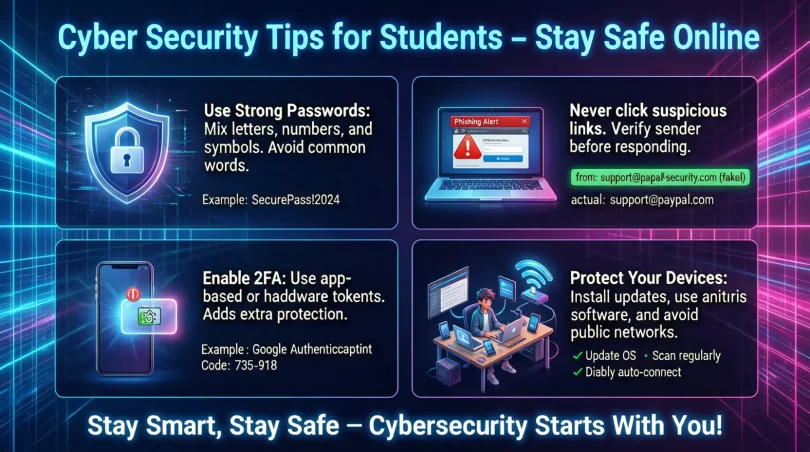
Passwords are your first line of defense. Weak passwords are easy to guess and can be cracked in seconds.
Always create strong passwords that include:
- Upper and lowercase letters
- Numbers
- Special characters
Avoid using your name, birthdate, or simple words. Also, never use the same password for multiple accounts. If one account is hacked, others will remain safe.
Using a password manager can help you store passwords securely.
Step 2: Enable Two-Factor Authentication
Two-factor authentication adds an extra layer of security. Even if someone knows your password, they cannot log in without a second code.
This code is usually sent to your phone or email. Enable this feature on email, social media, and learning platforms whenever possible.
This is one of the most effective cyber security tips for students.
Step 3: Be Careful with Public Wi-Fi
Public Wi-Fi is convenient but risky. Hackers can easily access unsecured networks.
Avoid:
- Logging into bank accounts
- Entering passwords
- Downloading files
If you must use public Wi-Fi, use a VPN to protect your data.
Step 4: Avoid Clicking on Unknown Links
Many cyber attacks happen through fake links. These links may come through emails, messages, or pop-up ads.
Before clicking:
- Check the sender’s email address
- Look for spelling mistakes
- Avoid urgent or threatening messages
If something looks suspicious, do not click it.
Step 5: Keep Your Devices Updated
Software updates are not just for new features. They also fix security problems.
Always update:
- Operating system
- Antivirus software
- Apps and browsers
Outdated software is an easy target for hackers.
Step 6: Install Antivirus and Security Tools
A good antivirus program can detect and remove harmful files. It protects your device from viruses, spyware, and malware.
Make sure your antivirus is always active and updated.
Step 7: Protect Personal Information
Never share personal details such as:
- Passwords
- OTPs
- Address
- School ID details
Be careful while filling online forms and signing up for websites.
Step 8: Use Social Media Wisely
Social media is fun but risky if used carelessly. Set your profile to private and avoid sharing personal photos or location details.
Do not accept friend requests from strangers. Cyber criminals often create fake profiles to trap users.
Step 9: Backup Your Data Regularly
Always keep a backup of important files. Use cloud storage or an external drive.
If your device gets hacked or damaged, you can easily recover your data.
Step 10: Learn and Stay Updated
Cyber threats change daily. Stay informed by reading about online safety and cyber security tips for students.
Awareness is your strongest protection.
Benefits of Cyber Security Tips for Students
- Protects personal and academic data
- Reduces risk of online scams and fraud
- Keeps devices safe from viruses
- Builds smart digital habits
- Improves awareness of online threats
- Helps maintain privacy
- Saves time and money
- Boosts confidence while using technology
Disadvantages / Risks
- Requires regular updates and attention
- Some security tools may slow devices
- Overconfidence can still lead to mistakes
- Free security software may have limits
- Lack of awareness can reduce effectiveness
Even with these risks, following cyber security tips for students is far better than ignoring online safety.
Common Mistakes to Avoid
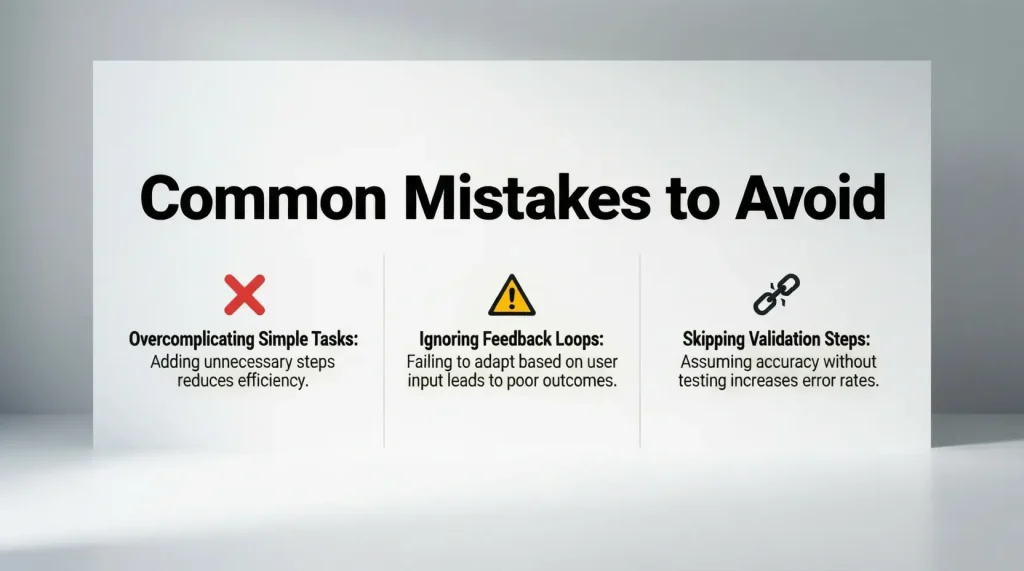
Many students make simple mistakes that lead to cyber problems. Avoid these common errors:
- Using the same password everywhere
- Ignoring software updates
- Clicking unknown links
- Sharing passwords with friends
- Using unsecured Wi-Fi
- Downloading pirated software
- Posting too much personal information online
Avoiding these mistakes can significantly improve your online safety.
FAQs
1. What are the best cyber security tips for students?
The best tips include using strong passwords, enabling two-factor authentication, avoiding suspicious links, and keeping software updated. These basic steps provide strong protection.
2. Why are students easy targets for cyber attacks?
Students often use public Wi-Fi, weak passwords, and unknown apps. Lack of awareness makes them easy targets for hackers.
3. Is antivirus software necessary for students?
Yes, antivirus software protects devices from malware, viruses, and spyware. It is an essential tool for online safety.
4. How can students stay safe on social media?
Students should use privacy settings, avoid sharing personal details, and never accept requests from strangers.
5. What should I do if my account gets hacked?
Immediately change your password, enable two-factor authentication, and report the issue to the platform. Also scan your device for malware.
6. Can cyber security help in future careers?
Yes, understanding cyber security basics is a valuable skill. It improves digital awareness and can help in many professional fields.
Expert Tips & Bonus Points
- Always log out from shared computers
- Use different emails for study and social media
- Avoid downloading cracked software
- Check website URLs before entering data
- Learn basic cyber safety rules from trusted sources
- Teach friends and family about online safety
- Stay calm and alert while browsing
Following these expert tips along with cyber security tips for students can greatly reduce online risks.
Conclusion
Cyber security is no longer just a technical topic. It is a daily life skill, especially for students who spend hours online. From attending virtual classes to using social media, every online activity carries some level of risk. That is why learning and following cyber security tips for students is extremely important.
By using strong passwords, avoiding suspicious links, updating devices, and protecting personal information, students can stay safe in the digital world. Cyber safety does not require advanced technical knowledge. It only needs awareness, discipline, and smart habits.
The internet is a powerful tool for learning and growth, but only when used responsibly. Developing good cyber security habits today will protect you not only during your student life but also in your future career.
Remember, staying safe online is your responsibility. Start applying these cyber security tips for students today and build a secure digital future with confidence and knowledge.