

Introduction
Technology has become an important part of our daily life. From waking up with an alarm on our phone to working online and staying connected with friends, we use technology almost all day. However, many people do not know how to use technology in the best and smartest way. That is why learning technology tips for everyday use is very helpful for everyone.
With the right knowledge, technology can save time, improve productivity, and make daily tasks easier. You do not need to be a tech expert to use digital tools properly. Even small changes, like organizing your phone, using secure passwords, or managing screen time, can make a big difference.
In this article, you will learn simple, practical, and easy-to-follow technology tips that can help beginners and intermediate users. These tips are designed to make your daily life smoother, safer, and more efficient in today’s digital world.
Keep Your Devices Organized and Clean
A clean and organized device works faster and feels better to use. Many people ignore this, but it makes a big difference in daily performance. Start by deleting apps you no longer use. These apps take storage space and slow down your phone or computer.
Next, organize your files into folders. Use clear names like “Work,” “Photos,” or “Documents.” This helps you find things quickly and reduces stress. You should also clean your desktop and remove unnecessary shortcuts.
Another important step is clearing cache and temporary files. These files build up over time and can slow your device. Most phones and computers have built-in tools to do this safely.
Physically cleaning your devices is also important. Use a soft cloth to clean screens and keyboards. Avoid using water directly. A clean device not only looks good but also lasts longer.
By following these simple habits, you can improve performance and make everyday technology use smoother and more enjoyable.
2. Use Strong Passwords and Password Managers
Security is one of the most important technology tips for everyday use. Many people still use weak passwords like “123456” or their birthdate. This makes it easy for hackers to access accounts.
Always create strong passwords using a mix of letters, numbers, and symbols. Avoid using the same password for multiple accounts. If remembering passwords feels difficult, use a trusted password manager.
Password managers store all your passwords safely and fill them automatically when needed. You only need to remember one master password. This saves time and improves security at the same time.
Also, enable two-factor authentication whenever possible. This adds an extra layer of protection by sending a code to your phone or email.
Taking a few minutes to improve your password habits can protect your personal data and give you peace of mind.
3. Make the Most of Your Smartphone Features

Modern smartphones are powerful tools, but many people use only basic features. Exploring built-in settings can make your phone more useful.
For example, use digital wellbeing tools to track screen time. This helps you control unnecessary usage and stay focused. You can also set app limits and bedtime modes.
Voice assistants like Google Assistant or Siri can help you set reminders, send messages, or search information hands-free. This saves time and increases productivity.
Another useful tip is to customize notifications. Turn off alerts from apps that are not important. This reduces distractions and helps you concentrate better.
By learning these small features, your smartphone can become a smart assistant instead of a distraction.
4. Improve Internet Speed and Connectivity
Slow internet can be very frustrating. Luckily, there are simple ways to improve your connection. Start by placing your Wi-Fi router in a central location. Avoid keeping it near walls or metal objects.
Restarting your router once a week can also improve performance. This clears temporary issues and refreshes the connection.
If your internet is still slow, check how many devices are connected. Too many users at the same time can reduce speed. Disconnect devices that are not in use.
Using updated browsers and clearing cache can also improve browsing speed. These small steps make online work smoother and faster.
Good internet speed is essential for work, study, and entertainment, so taking care of it is very important.
5. Use Cloud Storage for Easy Access
Cloud storage is one of the most useful technology tips for everyday use. Services like Google Drive, OneDrive, and Dropbox allow you to store files online.
This means you can access your documents, photos, and videos from any device. It also keeps your data safe in case your device is lost or damaged.
Another benefit is easy sharing. You can send large files through a simple link instead of email attachments. This saves time and effort.
Always organize your cloud folders properly and enable automatic backup for important files. This ensures you never lose important data.
Cloud storage is simple, secure, and very helpful for daily digital life.
6. Learn Basic Keyboard Shortcuts
Keyboard shortcuts can save a lot of time, especially if you work on a computer daily. Simple shortcuts like Ctrl + C for copy and Ctrl + V for paste are already popular.
However, there are many others that can improve speed. For example, Alt + Tab helps you switch between open apps quickly. Ctrl + Z undo mistakes instantly.
Learning a few shortcuts for your most-used software can boost productivity. You do not need to learn everything at once. Start with a few and practice daily.
Over time, these small habits make work faster and more efficient without extra effort.
7. Keep Software and Apps Updated
Many people ignore software updates, but they are very important. Updates fix bugs, improve performance, and increase security.
Outdated software can slow down your device and make it vulnerable to viruses. Always install updates from official sources only.
Enable automatic updates if possible. This ensures you always have the latest features without manual work.
Regular updates help your devices run smoothly and safely, making them more reliable for everyday use.
8. Protect Yourself from Online Scams
Online scams are increasing every day. Being aware is the best protection. Never click on suspicious links or download unknown files.
Be careful with emails asking for personal information. Trusted companies never ask for passwords through email or messages.
Use antivirus software and keep it updated. Also, avoid using public Wi-Fi for sensitive tasks like online banking.
Learning to recognize online threats is an important part of smart technology use. A little caution can save you from big trouble.
9. Manage Digital Time for Better Balance
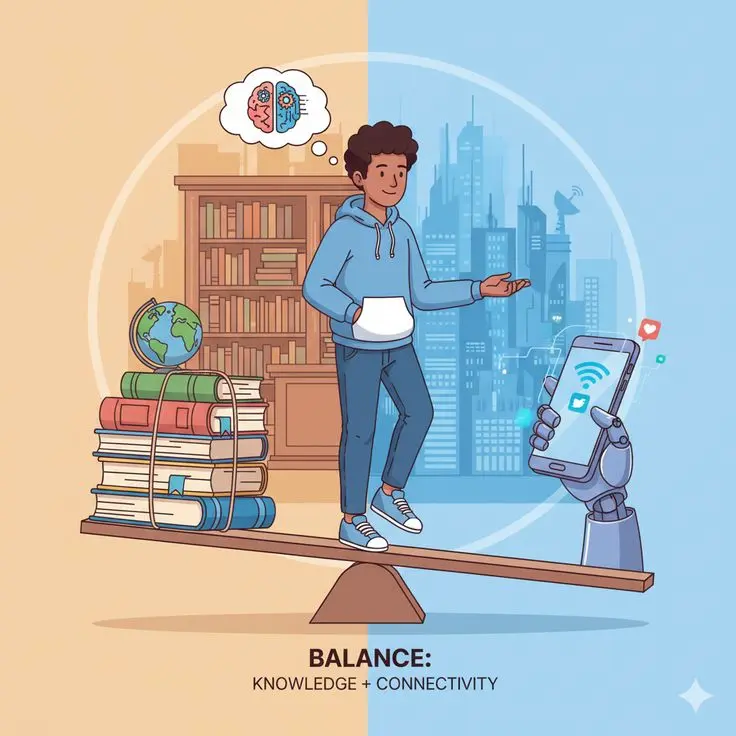
Spending too much time on screens can affect health and focus. Set limits for social media and entertainment apps.
Use features like screen time reports to understand your habits. Try to take short breaks after long screen use.
Follow the 20-20-20 rule: every 20 minutes, look at something 20 feet away for 20 seconds. This helps reduce eye strain.
Balancing online and offline life improves mental health and productivity.
10. Use Technology to Stay Organized
Technology can help you stay organized if used properly. Use digital calendars to plan your day and set reminders.
To-do list apps help manage tasks and reduce stress. Notes apps are great for saving ideas, passwords, and important information.
Sync these tools across devices so you can access them anytime. Staying organized improves efficiency and saves valuable time.
FAQs About Technology Tips for Everyday Use
1. Why are technology tips important for daily life?
Technology tips help people use their devices in a smarter and safer way. They save time, improve productivity, and reduce stress. With the right tips, even beginners can use technology easily and confidently.
2. How can technology make everyday tasks easier?
Technology helps in many ways, such as online payments, reminders, navigation, communication, and learning. Simple tools like mobile apps and cloud storage make daily tasks faster and more organized.
3. Are technology tips useful for beginners?
Yes, technology tips are very helpful for beginners. They explain basic features in an easy way and help users avoid common mistakes. Beginners can slowly improve their skills by following simple daily tips.
4. How can I use technology safely?
You can stay safe by using strong passwords, avoiding suspicious links, updating software regularly, and using antivirus protection. These small steps help protect your personal data and privacy.
5. What are some easy technology tips for daily use?
Some easy tips include organizing files, deleting unused apps, using cloud storage, setting reminders, and managing screen time. These habits improve performance and save time.
6. Can technology help improve productivity?
Yes, technology can greatly improve productivity. Tools like calendars, note apps, and task managers help you stay organized and focused throughout the day.
7. How often should I update my devices?
You should update your devices whenever a new update is available. Updates improve security, fix bugs, and add new features that make your device work better.
Conclusion
Technology plays a major role in modern life, and learning how to use it wisely makes a big difference. These technology tips for everyday use are simple, practical, and easy to apply. You do not need advanced skills or expensive tools to improve your digital experience.
By organizing your devices, staying secure online, using smart features, and managing your time well, you can enjoy the true benefits of technology. Small changes in daily habits can lead to better productivity, less stress, and a more balanced digital life.
Remember, technology is meant to support you, not control you. Use it wisely, stay updated, and keep learning. When used correctly, technology becomes a powerful tool that makes everyday life easier, smarter, and more enjoyable.